Why Every Business Needs Multi-Factor Authentication

What is MFA?
Multi-factor authentication (MFA) is a security measure that requires users to verify their identity through multiple methods before gaining access to systems, applications, or data. Unlike traditional single-password protection, MFA creates multiple verification layers, making unauthorised access significantly more difficult.
Think of MFA as a combination lock that needs three different keys instead of one. Users must provide:
- A password they know
- A verification code from something they possess (like their phone)
- A biometric factor they uniquely have (like their fingerprint)
How Multi-Factor Authentication Works
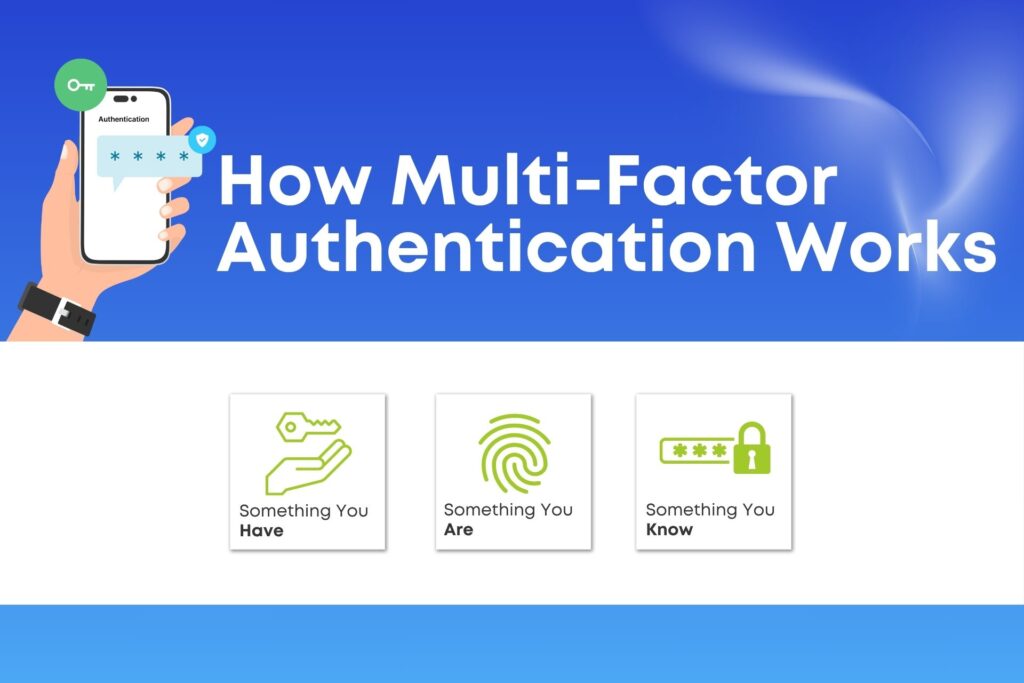
Multi-factor authentication (MFA) requires users to verify their identity through multiple security checkpoints before gaining system access. This security protocol combines three distinct verification types: something you know, something you have, and something you are.
Knowledge Factors: Something You Know
Knowledge factors form the basic security layer, requiring users to remember specific information. While these can be compromised through phishing or social engineering, they serve as the foundation for stronger authentication methods.
Common examples include:
- Passwords and passphrases
- Personal Identification Numbers (PINs)
- Security questions and answers
Possession Factors: Something You Have
Possession factors add a physical security component, requiring access to a specific device or token. This significantly increases security as attackers would need both stolen credentials and physical access to authentication devices.
Trusted verification methods include:
- Mobile devices for SMS codes
- Authenticator apps
- Physical security keys
- Smart cards
Inherence Factors: Something You Are
Inherence factors provide the highest level of security through unique biological characteristics. These factors are extremely difficult to replicate or forge, making them ideal for protecting sensitive systems and data.
Biometric verification options include:
- Fingerprint scans
- Facial recognition
- Voice patterns
- Retina or iris scans
The strength of MFA lies in combining these factors. Even if attackers compromise one factor, they still face additional security barriers, dramatically reducing the risk of unauthorised access.
Common MFA Methods: One-Time Passwords, Biometrics, Hardware Tokens

Modern MFA solutions offer various implementation options to suit different security needs:
- One-Time Passwords (OTP): Time-based codes expire within 30-60 seconds, ensuring temporary access validation while maintaining security.
- Biometric Authentication: Modern devices process biological markers with 99.9% accuracy, providing enterprise-grade security through unique physical characteristics.
- Hardware Tokens: Purpose-built security devices offer the highest level of protection for sensitive systems, ideal for high-security environments.
Examples of MFA in Everyday Use
- Financial Services: Banks require password entry followed by OTP verification for transactions exceeding preset limits.
- Cloud Services: Business platforms mandate secondary verification through authenticator apps when accessing sensitive documents.
- Remote Systems: Virtual Private Networks (VPNs) implement MFA to verify user identity before granting access to corporate networks. MFA integration typically adds only 2-3 seconds to the login process while reducing security breach risks by 99.9%.
Top Reasons Businesses Need MFA
Enhanced Security
Strong MFA systems create multiple defensive barriers against cyber threats. When passwords become compromised through data breaches, MFA prevents unauthorised access by requiring additional verification factors. This multi-layered approach effectively blocks attacks even when criminals possess stolen credentials.
Sophisticated MFA solutions also protect against phishing attempts, credential theft, and password reuse. By requiring physical tokens or biometric verification, MFA neutralises these common attack methods before they can breach security perimeters.
Regulatory Compliance
Implementing MFA helps organisations maintain compliance with strict data protection standards across industries. From financial services to healthcare, regulators increasingly mandate multi-factor authentication for accessing sensitive information.
Strong security measures prevent costly compliance violations. MFA implementation demonstrates security diligence, helping organisations avoid severe penalties while maintaining industry standing.
Improved User Trust and Confidence
Modern MFA solutions strengthen security while building user confidence. Employees and customers recognise the protection of additional authentication factors, trusting that their sensitive information remains secure. This visible security enhances brand reputation and user relationships.
Cost Reduction
MFA investment delivers significant cost savings by preventing expensive security breaches. Organisations avoid substantial costs related to incident response, legal proceedings, reputation damage, and regulatory fines. This proactive security approach proves more cost-effective than managing aftermath of security incidents.
Support for Remote Work and Cloud Security
Secure remote access requires robust authentication methods. MFA enables safe connections to corporate networks, cloud services, and sensitive applications from any location. Teams maintain productivity while accessing resources through verified secure channels.
Simplified and Faster Logins
Advanced MFA technology actually improves user experience while enhancing security. Biometric authentication enables quick access without password complexity. Adaptive systems adjust security requirements based on risk levels, while single sign-on integration streamlines access across multiple platforms.
Best Practices for Implementing MFA in Businesses
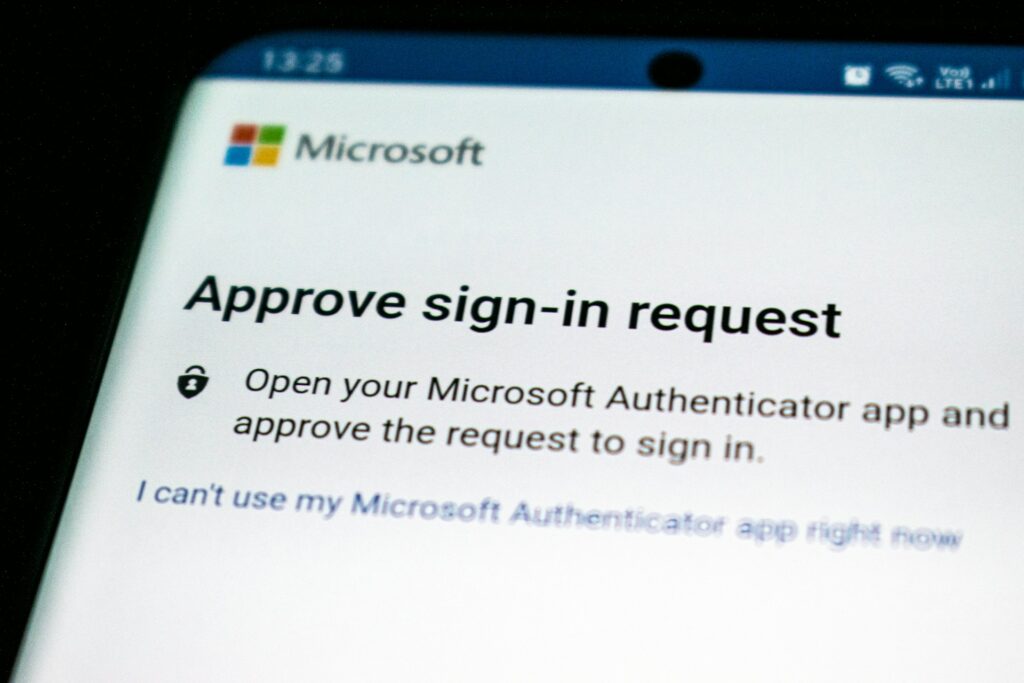
Successful MFA deployment requires strategic planning and thoughtful implementation. Our security experts recommend following proven practices that ensure both protection and usability.
1. Choosing the Right MFA Solution for Your Business Needs
Select MFA solutions based on your organisation’s specific security requirements and operational patterns. Evaluate your risk profile and compliance needs while considering your user base size and location distribution. The most effective MFA solution aligns with existing business processes while providing appropriate security levels for different user groups and access scenarios.
Technical infrastructure compatibility plays a crucial role in solution selection. Consider both current systems and future scalability needs. Budget constraints and available resources will help determine the most suitable authentication methods for your organisation.
2. Balancing Security and User Experience
Strong security shouldn’t create workflow obstacles. Modern MFA implementation focuses on streamlining authentication processes while maintaining robust protection. Risk-based authentication helps optimise the balance, requiring additional verification only when unusual patterns emerge.
Successful MFA solutions offer multiple verification options, maintaining consistent response times across different authentication methods. Clear error messages and readily available support ensure users can resolve access issues quickly without compromising security.
3. Training Employees and Raising Awareness
Success requires user understanding and acceptance. Develop comprehensive training programs that explain MFA benefits and demonstrate proper authentication procedures. Address common concerns proactively, providing clear answers to security questions.
Regular communication maintains security awareness while ensuring smooth MFA adoption. Create accessible support resources that help users navigate the authentication process confidently. Share ongoing security updates to reinforce the importance of multi-factor verification.
4. Integrating MFA with Existing IT Infrastructure
Seamless integration maintains operational efficiency. Review compatibility with current systems and evaluate single sign-on capabilities that streamline user access. Directory service synchronisation ensures consistent authentication across platforms.
Implement reliable backup authentication methods to maintain business continuity. Deploy monitoring and reporting tools that track system performance and user behaviour. Proper integration ensures MFA enhances rather than disrupts existing security frameworks while providing valuable insights for ongoing optimisation.
Frequently Asked Questions
Is MFA mandatory for Australian businesses?
While not universally mandated across all sectors, MFA increasingly features in regulatory frameworks. Organisations handling sensitive data, particularly in finance, healthcare, and government sectors, face specific MFA requirements under various regulations. Industry standards and cyber insurance providers also frequently require robust authentication measures. Even without explicit legal mandates, implementing MFA represents best practice for security governance and risk management.
What are the most common MFA methods?
Today’s organisations typically deploy a combination of authentication methods. Time-based one-time passwords through authenticator apps offer excellent security with minimal infrastructure requirements. SMS verification provides wide accessibility despite some security limitations. Hardware security keys deliver superior protection for high-security environments. Biometric authentication, including fingerprint and facial recognition, continues gaining popularity for its balance of security and convenience.
How does MFA protect against phishing attacks?
MFA adds contextual security analysis to credential verification. The system examines login patterns, locations, and devices to identify suspicious activity. Even if attackers harvest passwords through deceptive emails, MFA’s intelligent monitoring can detect and block unusual access attempts, preventing breach attempts before they succeed.